




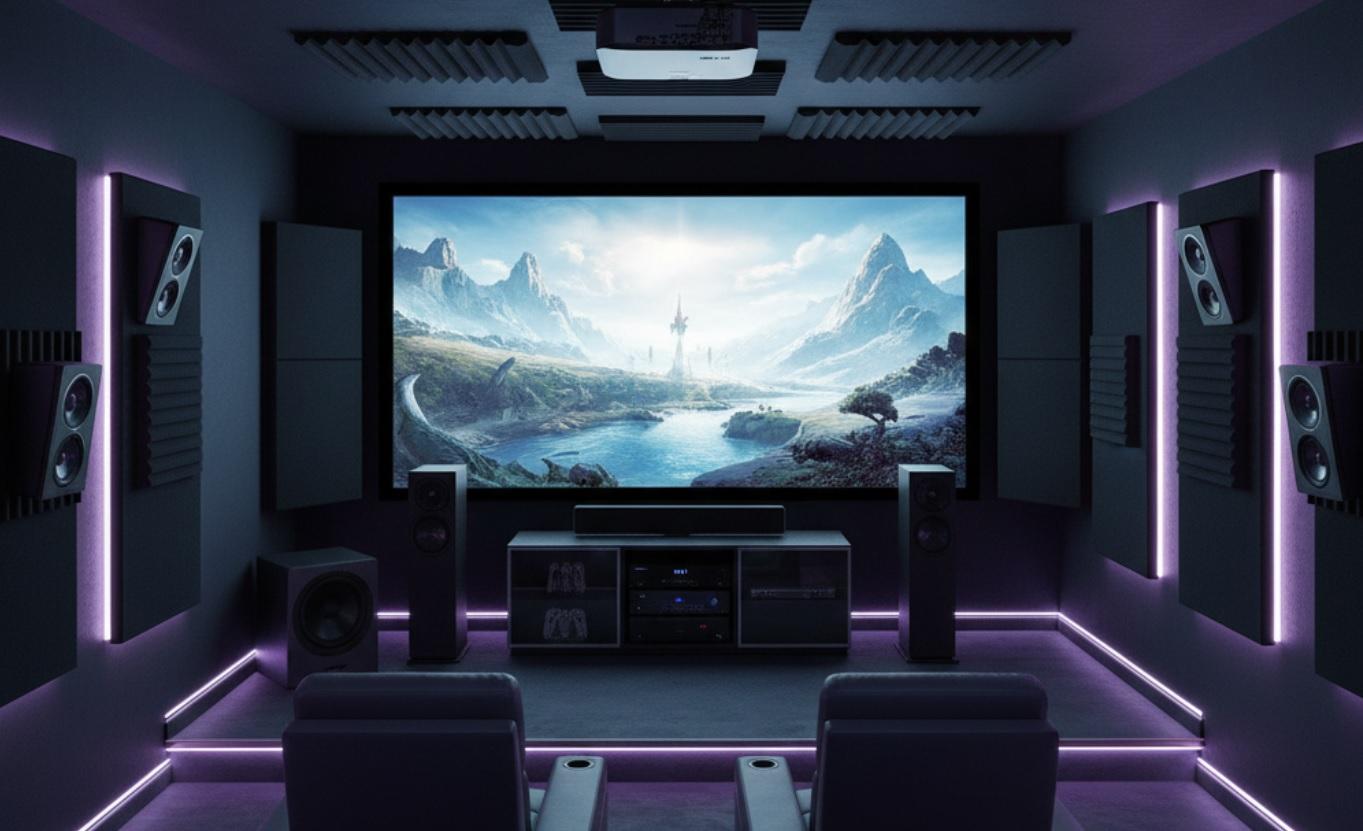
Creating a home theater used to be something only rich people could afford. Today, it's possible for almost anyone to build a great setup without spending a big amount of money. The key is knowing what to buy and why. This guide helps you: from choosing a screen to choosing the right speakers, so you end up with a system that sounds amazing and looks fantastic without wasting money on things you don't need.
Start With Your Room
Before you buy a single piece of gear, take a good look at the room you plan to use. Size matters. A small bedroom won't need the same speakers as a large basement. Lighting also plays a big role. If your room gets a lot of sunlight during movie hours, you'll need a brighter projector or a special screen. Darker rooms give you more flexibility.
Think about where people will sit. The best viewing distance depends on your screen size. As a general rule, sit about 1.5 to 2.5 times the screen's diagonal measurement away. For a 100-inch screen, that's roughly 12 to 20 feet. Make sure your seating layout supports that.
Choose Between a TV and a Projector
This is one of the biggest decisions you'll make. Both options have strong points, and your choice should match your space, budget, and how you plan to use the system.
Big TVs: Simple and Sharp
Modern 4K TVs deliver stunning picture quality. They're bright, colorful, and easy to set up. You plug them in, connect a few cables, and you're ready to watch. No calibration headaches. No worrying about bulb life or screen alignment.
If your room is small or medium-sized, a 65- to 85-inch TV gives you plenty of screen real estate. OLED models offer the deepest blacks and best contrast, but they cost more. LED-LCD TVs with full-array local dimming come close at a lower price.
- Great for bright rooms
- No maintenance beyond occasional cleaning
- Works well for gaming and sports
- Plug-and-play setup
Projectors: Big Screen Magic
If you dream of a 100-inch or larger image, a projector is your best bet. You get a true cinema feel without the cost of a massive TV. Modern projectors support 4K resolution, HDR, and even smart features.
Keep in mind that projectors need darkness to shine. Ambient light washes out the image unless you invest in an ambient light rejecting (ALR) screen. Also, projectors require more setup-mounting, focusing, aligning-and occasional lamp or filter maintenance.
- Perfect for dedicated, darkened rooms
- More immersive for movies
- Lower cost per inch of screen size
- Needs careful placement and calibration
Sound Is Just as Important as Picture
Many people focus all their energy on the screen and forget about audio. Bad sound ruins the experience, even with a perfect picture. A good home theater needs a proper speaker system-not just the built-in TV speakers.
Soundbar vs. Full Speaker System
If space or budget is tight, a high-quality soundbar with a wireless subwoofer can do a lot. Some even include rear speakers for true surround sound. But if you want the full effect-explosions behind you, rain falling from above, dialogue clear and centered-a full surround system is the way to go.
A 5.1 system includes five speakers (front left, front right, center, rear left, rear right) and one subwoofer. For even more immersion, consider 7.1 or Dolby Atmos setups with height channels.
Where to Place Your Speakers
Speaker placement affects sound more than most people realize. The center channel should sit directly above or below your screen, aimed at ear level. Front left and right speakers go at equal distances from the main seating spot, forming an equilateral triangle. Rear speakers should be slightly behind you, not directly to the sides.
Subwoofers are flexible-you can often place them in a corner for more bass-but avoid putting them too close to your seat. That leads to boomy, uneven sound.
Don't Forget the Receiver
An AV receiver is the brain of your home theater. It takes audio and video from your sources (like a Blu-ray player, game console, or streaming box), processes the sound, and sends it to your speakers. It also switches between inputs so you don't need five remotes.
Look for a receiver that supports the latest audio formats like Dolby Atmos and DTS:X. Make sure it has enough HDMI inputs for all your devices-four or five is usually safe. Also check that it supports 4K HDR passthrough and HDMI 2.1 if you plan to use next-gen gaming consoles.
Power matters too. A receiver with 75-100 watts per channel is fine for most rooms. Bigger spaces may need more. Don't fall for inflated wattage numbers-look at continuous power ratings, not peak.
Pick the Right Sources
Your home theater is only as good as what you feed it. Choose high-quality sources to get the most out of your setup.
Streaming Devices
Most people watch movies and shows through streaming. A good 4K streaming stick or box ensures you get the best possible picture and sound. Look for devices that support Dolby Vision and Dolby Atmos, like Apple TV 4K, Nvidia Shield, or Roku Ultra.
Blu-ray Players
If you care about picture and sound quality, physical media still wins. 4K Blu-ray discs offer lossless audio and bitrates far higher than any stream. A good 4K Blu-ray player costs around $200 and works perfectly with your new system.
Gaming Consoles
Modern consoles like PlayStation 5 and Xbox Series X double as excellent media players. They support 4K HDR, Dolby Atmos, and fast load times. If you game and watch movies, they're a smart two-in-one choice.
Cables and Connections Matter More Than You Think
You don't need the most expensive cables, but you do need the right ones. For HDMI, choose certified high-speed cables that support 4K HDR. Cheap, no-name cables can cause flickering, audio dropouts, or handshake issues.
Speaker wire should be thick enough for your room size. For runs under 50 feet, 16-gauge is fine. For longer distances, go with 14-gauge. Oxygen-free copper isn't necessary-standard copper works just as well.
Label everything. It saves hours of frustration when you're trying to figure out which cable goes where during setup or troubleshooting.
Comfort and Extras
A great home theater isn't just about tech-it's about comfort. Invest in good seating. Recliners with cup holders, soft lighting (like LED strips behind the screen), and blackout curtains all add to the experience.
Consider smart lighting that dims automatically when you start a movie. A universal remote or smart home system can control everything with one button press. These small touches make your theater feel professional and relaxing.
Budget Wisely
It's easy to overspend on flashy gear you don't need. Focus your money where it matters most:
- 40% on display (TV or projector + screen)
- 30% on audio (speakers + receiver)
- 15% on sources (streaming box, Blu-ray player, etc.)
- 10% on cables, mounts, and accessories
- 5% on seating and room treatment
You can always upgrade later. Start with a solid foundation-good speakers, a decent screen, and a reliable receiver-then add Atmos height channels or a better subwoofer down the road.
Important Tips
Read real user reviews, not just expert opinions. People who've lived with the gear for months often spot issues professionals miss. Watch demo videos on YouTube to hear how speakers sound. Visit a store if you can. Seeing a TV or projector in person helps more than any spec sheet.
Don't chase the latest model unless it offers something you truly need. Last year's TV might be 20% cheaper and 95% as good. The same goes for receivers and speakers. Performance matters more than release date.
Frequently Asked Questions
Do I need a 4K projector or TV?
If you sit close to a large screen, yes-4K makes a visible difference. For smaller screens or longer viewing distances, 1080p might be enough. But since most new content is 4K, going with 4K future-proofs your setup.
Can I use regular bookshelf speakers for surround sound?
Absolutely. Many high-quality surround systems use compact bookshelf models for rear and even front channels. Just make sure they match tonally with your center speaker for smooth dialogue.
How dark does my room need to be for a projector?
For standard white screens, you need near-total darkness. With an ALR screen, you can handle some ambient light-like a shaded room with curtains-but direct sunlight will still wash out the image.
Is Dolby Atmos worth it?
If you love immersive sound and watch newer movies, yes. Atmos adds height effects that make rain, helicopters, and explosions feel real. You don't need in-ceiling speakers-upward-firing modules or special Atmos-enabled speakers work well in most rooms.
Should I calibrate my TV or projector?
Yes, but you don't need expensive tools. Most TVs have a "Movie" or "Cinema" mode that's close to accurate out of the box. Free calibration discs or YouTube videos can help fine-tune brightness and color.


