




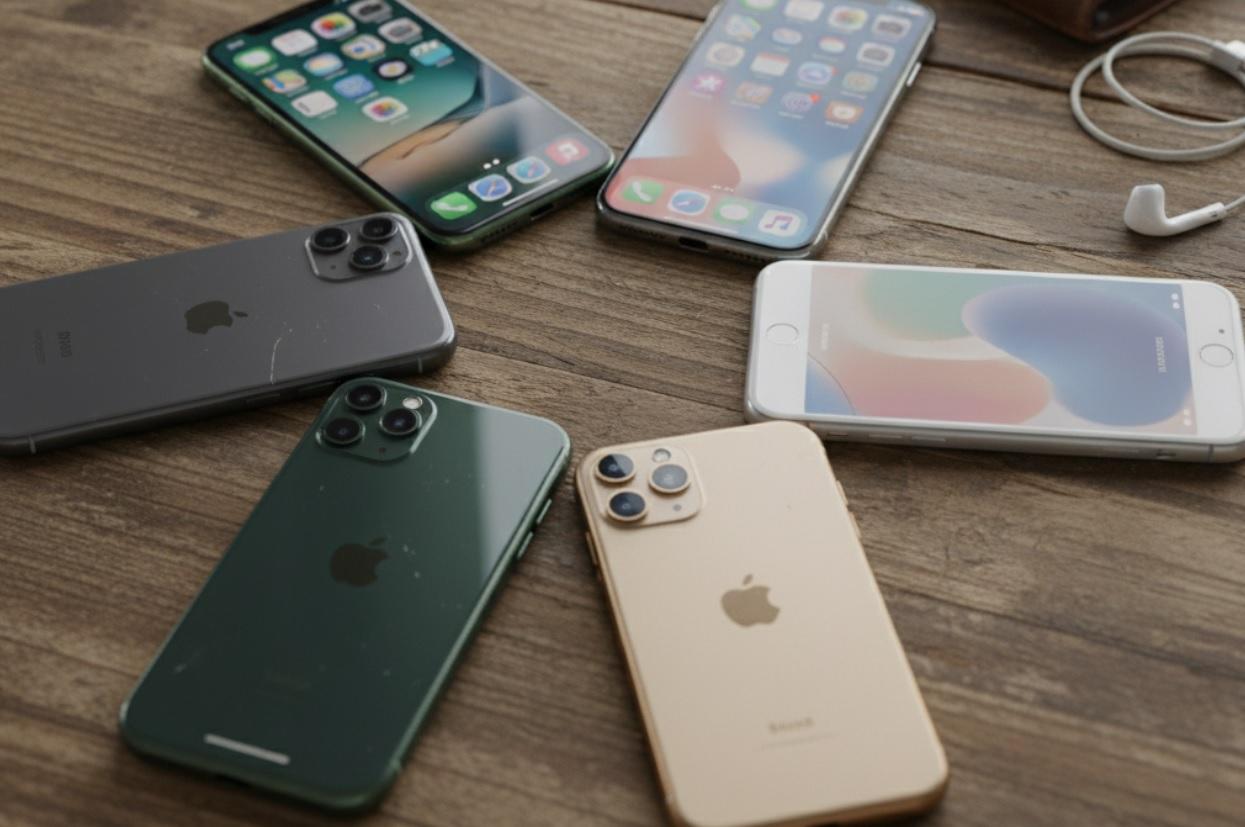
Buying a used iPhone can save you hundreds of dollars. New models cost more every year, but older iPhones often work just as well for everyday tasks. The trick is knowing what to look for and what to avoid.
Learn what to check before you spend money on a used iPhone. From checking the model and battery health to spotting red flags in listings, you'll learn how to shop smart and stay safe.
Why Buy a Used iPhone?
New iPhones are expensive. Even the "cheaper" models start well above $500. But a used iPhone 12 or 13 might cost half that-and still run all your apps smoothly. Apple supports older phones with software updates for five years or more, so performance rarely drops off quickly.
You also avoid the steepest part of depreciation. A brand-new iPhone loses 20-30% of its value in the first few months. By buying used, someone else takes that hit. You get a nearly new device at a much lower price.
Plus, many used iPhones come from people who upgraded early or changed carriers. They're often in excellent condition, with minimal wear and full functionality.
Where to Buy a Used iPhone
You have several options, each with pros and cons. The key is choosing a source that offers some protection if something goes wrong.
Official Refurbished from Apple
Apple sells certified refurbished iPhones directly. These phones are cleaned, tested, and repackaged with a new battery and outer shell. They come with a one-year warranty and look almost new.
The downside? They cost more than other used options. But if peace of mind matters most, this is the safest route.
Reputable Retailers
Some big electronics stores sell pre-owned iPhones with warranties. These are usually inspected and reset to factory settings. You might pay a bit extra, but you get return policies and customer support if issues pop up later.
Online Marketplaces
Websites where individuals sell directly offer the lowest prices-but also the highest risk. You might find a great deal, or you might get a phone with hidden problems. Always check the seller's rating, read reviews, and ask questions before paying.
Never send money through unsecured methods like wire transfers or gift cards. Use payment options that offer buyer protection.
Friends or Family
Sometimes the best deal comes from someone you know. If your cousin just upgraded and offers you their old iPhone, you can test it in person and trust the history. Just make sure it's unlocked and fully reset before you take it home.
Step-by-Step Checklist Before You Buy
Don't skip these steps. A few minutes of checking can save you hours of headaches later.
1. Decide Which Model You Need
Newer isn't always better. Ask yourself what you actually use your phone for:
- If you mostly text, browse, and watch videos, an iPhone XR or 11 is plenty.
- If you take lots of photos or play graphics-heavy games, aim for iPhone 12 or newer.
- If you want 5G, you need at least an iPhone 12.
Also check iOS compatibility. Older models like the iPhone 6s or 7 no longer get updates. That means security risks and app incompatibility. Stick with iPhone 8 or newer for reliable support.
2. Check Storage Capacity
Storage can't be upgraded later, so choose wisely. 64GB is the absolute minimum today. If you take photos, record video, or download music, go for 128GB or 256GB.
Avoid 16GB or 32GB models-they fill up fast, even after deleting apps. You'll constantly fight "storage full" warnings.
3. Verify the Phone Is Unlocked
An unlocked iPhone works with any carrier. A locked phone only works with one specific network unless the seller pays to unlock it-which they rarely do.
Ask the seller directly: "Is this phone unlocked?" Then double-check by entering the IMEI number on a carrier's website or using Apple's official tool at checkcoverage.apple.com.
4. Inspect Physical Condition
Scratches and small dents are normal. But look closely for:
- Cracked screen or deep scratches that affect visibility
- Loose buttons or ports that don't hold a cable snugly
- Signs of water damage (check the SIM tray for a red indicator)
- Battery swelling (the screen might bulge slightly)
If you're buying online, ask for clear photos from multiple angles-front, back, sides, and ports.
5. Test Everything in Person (If Possible)
If you meet the seller, turn the phone on and test these features:
- Screen: Look for dead pixels, discoloration, or flickering
- Speakers and microphone: Play a video and make a test call
- Cameras: Take photos with front and back lenses
- Wi-Fi and cellular: Connect to a network and load a webpage
- Face ID or Touch ID: Make sure biometric unlock works smoothly
- Charging: Plug in a cable and confirm it charges
Don't skip this step. A phone might look fine but have hidden flaws only testing reveals.
6. Check Battery Health
Batteries degrade over time. After 500 full charge cycles, capacity drops below 80%. That means shorter battery life and possible shutdowns.
On any iPhone running iOS 11.3 or later, go to Settings > Battery > Battery Health & Charging. Look at "Maximum Capacity."
- 90-100%: Excellent
- 80-89%: Good for daily use
- Below 80%: Consider a battery replacement soon
If the seller won't let you check this, walk away. Low battery health is a common issue with used phones.
7. Confirm It's Not Stolen or Locked
A stolen iPhone is useless. Even if it powers on, it might be locked to the original owner's Apple ID via Activation Lock.
To check, turn the phone on. If it asks for an Apple ID password during setup, it's still linked to someone else. Do not buy it.
You can also verify the IMEI or serial number on Apple's website. Enter it at checkcoverage.apple.com. If it shows "Activation Lock: On," the phone isn't ready for a new owner.
Red Flags to Watch For
Some listings seem too good to be true-and they usually are. Watch out for these warning signs:
- Price way below market value: A used iPhone 13 for $200? Probably stolen, broken, or fake.
- Vague descriptions: "Works fine" or "great condition" with no details or photos.
- Seller refuses to meet in person or video call: They won't let you test the phone.
- Asking for payment via gift cards, wire transfer, or crypto: No buyer protection.
- Phone listed as "for parts" but priced like a working device: Often a scam.
Trust your gut. If something feels off, it probably is.
How Much Should You Pay?
Prices vary based on model, storage, condition, and demand. Here's a general idea of fair market value (as of 2024):
- iPhone 11 (64GB): $200-$280 (good condition)
- iPhone 12 (128GB): $300-$400
- iPhone 13 (128GB): $400-$500
- iPhone SE (3rd gen): $220-$280
- iPhone XR (64GB): $150-$220
Check multiple listings to compare. Prices on reputable sites tend to be more accurate than random online posts.
Remember: paying a little more for a well-maintained phone often saves money long-term. A cheap phone with a dying battery or hidden damage costs more in repairs or replacement.
After You Buy: What to Do Next
Once you have the phone, take these steps before using it daily:
- Reset it completely: Go to Settings > General > Transfer or Reset iPhone > Erase All Content and Settings. This removes any leftover data.
- Set it up as new: Don't restore from an old backup right away. Test the phone clean first.
- Update iOS: Install the latest version for security and performance.
- Check warranty status: Visit Apple's support site with the serial number to see if any coverage remains.
- Add a case and screen protector: Protect your investment from day one.
If you notice any issues within the first few days-like overheating, rapid battery drain, or poor signal-contact the seller immediately. Most honest sellers will work with you if problems appear quickly.
Bottom Line
Buying used doesn't mean settling for less. With patience and attention, you can get a high-quality iPhone that meets your needs without emptying your wallet.
- Always prioritize battery health and activation status over looks.
- When in doubt, choose a slightly older model in great condition over a newer one with unknown history.
- Keep records of your purchase-screenshots of the listing, messages with the seller, and payment confirmation.
- Consider AppleCare+ if you buy from Apple directly-it extends coverage and includes accidental damage protection.
Frequently Asked Questions (FAQ)
Can I use a used iPhone with any carrier?
Only if it's unlocked. Check the IMEI on the carrier's website before buying. Locked phones won't work with your SIM unless unlocked by the original owner.
How do I know if the iPhone is original and not a fake?
Real iPhones have a serial number that matches Apple's database. Go to Settings > General > About and note the serial number. Enter it at checkcoverage.apple.com. If Apple recognizes it, the phone is genuine.
Is it safe to buy a used iPhone online?
It can be-if you use a platform with buyer protection and avoid risky payment methods. Always verify the IMEI, ask for photos, and check the seller's history.
What if the battery health is below 80%?
You can still use the phone, but expect shorter battery life. Apple offers official battery replacements for around $99, which restores full performance and capacity.
Should I buy an iPhone with a cracked screen?
Only if you're comfortable replacing the screen yourself or paying for a repair. Third-party screens may not support True Tone or auto-brightness, and Face ID can stop working if not installed correctly.
Do used iPhones come with chargers?
Rarely. Apple stopped including chargers with new iPhones in 2020, and most used phones are sold without accessories. Plan to buy a certified Lightning or USB-C cable separately.


